Category
Google Sites Portfolio Templates
- Free Google Sites Templates for Art Portfolios 2 templates
- Free Google Sites Templates for Photography Portfolios 1 template
-
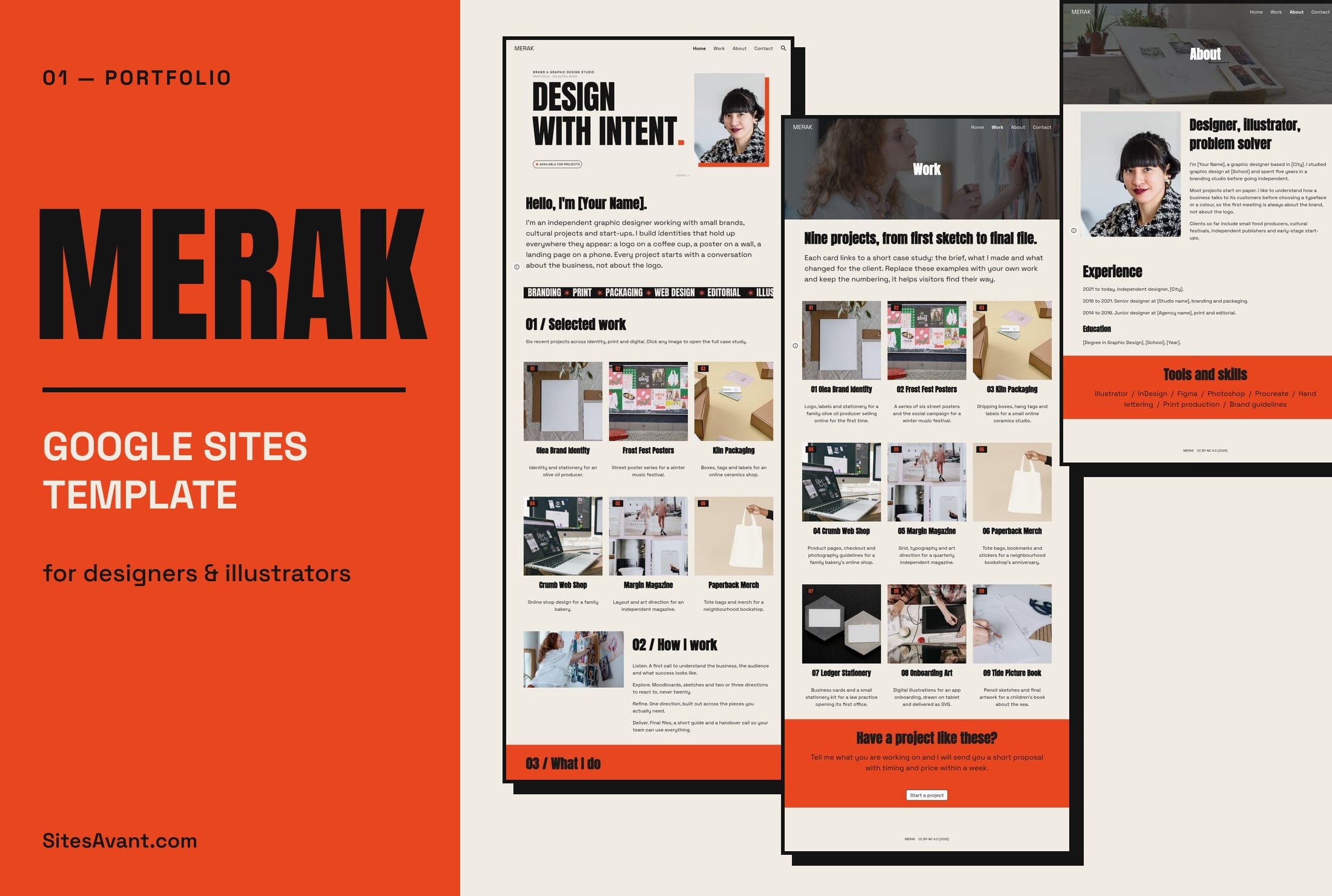 Art Portfolios MERAK: Google Sites Portfolio Template for Designers MERAK is a free Google Sites portfolio template for graphic designers and illustrators, with Home, Work, About and Contact pages. Live demo and free copy. View template →
 -
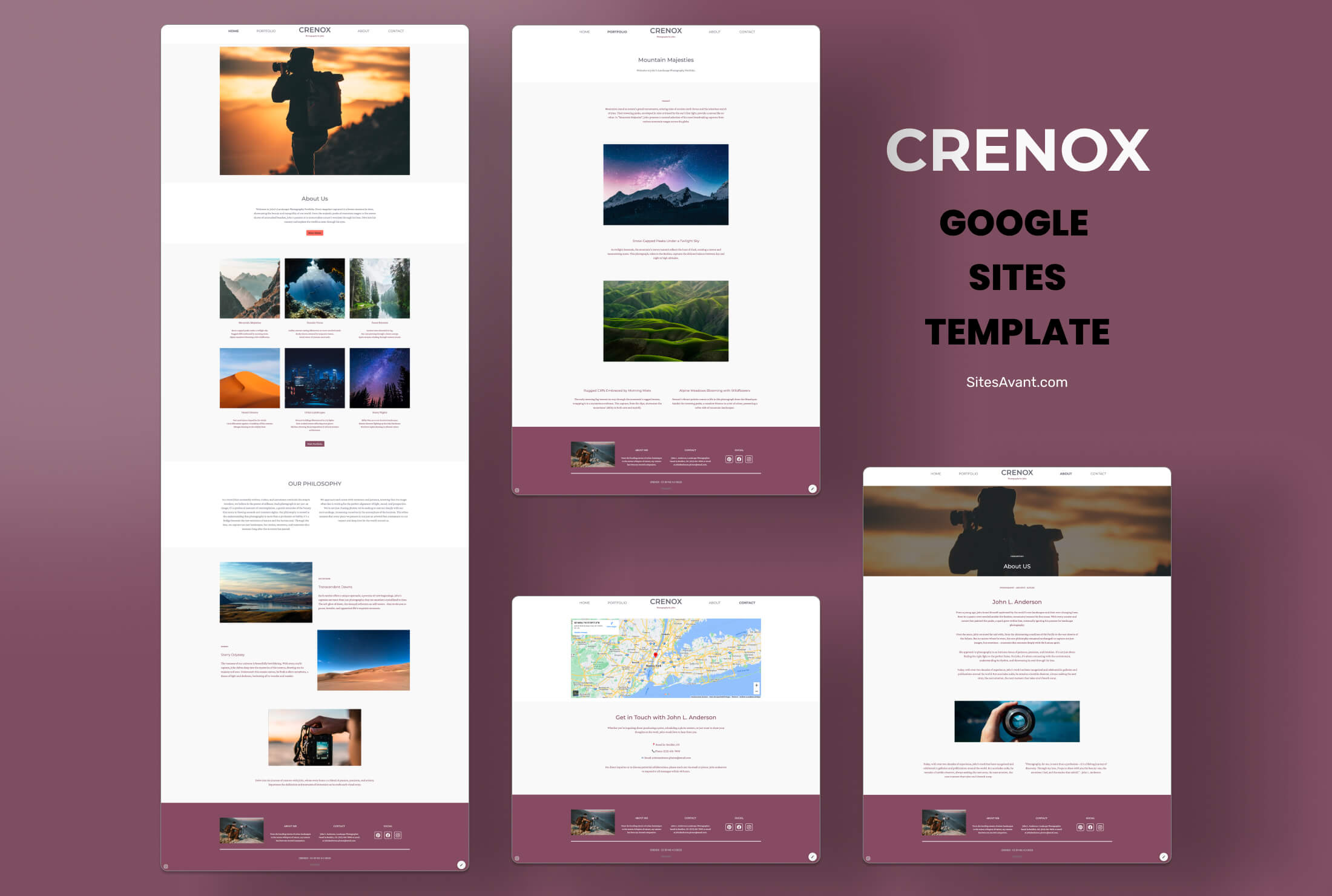 Photography Portfolios CRENOX: Google Sites Template for Photography Portfolios CRENOX is a Google Sites template built for photographers. Elegant, minimalist design with Home, Portfolio, About, and Contact sections. Free to use. View template →
 -
 Art Portfolios QUORIX: Art Portfolio Template for Students QUORIX is a Google Sites template for art students and aspiring artists. Organized sections for your profile, projects, and contact, with dark neutral tones and image galleries. View template →
Every template in this collection is a complete Google Site: you can open the live demo, copy it to your own Google Drive and edit it with the normal Sites editor. There is no code, plugin or paid plan involved. Google Sites is free with a Google account, and the finished portfolio is published at a sites.google.com address or on your own domain.
Free Google Sites portfolio templates by profile
A portfolio for a photographer and one for a chemistry student need different pages, so the templates are grouped by who will use them.
- Graphic designers and illustrators: MERAK opens with a grid of selected projects and has separate Work, About and Contact pages.
- Photographers: CRENOX keeps the design minimal so the images carry the page. It has Home, Portfolio, About and Contact sections, and the gallery is organized by theme.
- Art students and young artists: QUORIX uses dark neutral tones that make artwork stand out, with sections for your profile, your projects and contact.
- Students applying to college or scholarships: KORVIX has pages for projects, achievements and activities.
- Science students: NEXOVIX is an eportfolio for physics and chemistry coursework, with About Me, Portfolio and a feedback form.
- Professionals who need an online CV: LUXTRIX puts a resume download button near the top of the page.
Google Sites portfolio examples you can open before copying
Each card above links to a working demo, so you can click through the menus, galleries and contact sections exactly as a visitor would. That is the quickest way to judge whether a layout suits your work before you copy it. If none of them matches your field, pick the one whose structure is closest and change the colors and fonts from the Themes panel.
What to include in a Google Sites digital portfolio
Most portfolios built on Google Sites share the same backbone: a home page with a short introduction, a work or projects page, an about page and a way to get in touch. Some practical points that make a difference:
- Give each important project its own page or section, with a title, a short description of your role and the result.
- Embed files straight from Google Drive (PDF, Slides, Docs) and videos from YouTube instead of uploading screenshots of them.
- Add a Google Form if you want visitors to contact you without publishing your email address.
- Keep the menu short. Four or five pages are enough for most portfolios.
How to make a Google Sites portfolio from a template
Choose a template, copy it to your Drive following the step-by-step download guide, then replace the sample text and images with your own. When it is ready, click Publish, choose the web address and decide who can see the site. You can come back and edit it at any time; changes go live when you publish again.
Google Sites portfolio templates for students
Schools often ask students to keep a digital portfolio of coursework, and many students also use one for college or job applications. If you work from a school Google Workspace account, the administrator may limit publishing to people inside the school, so check that setting before you send the link to someone outside it. A personal Google account does not have that restriction.